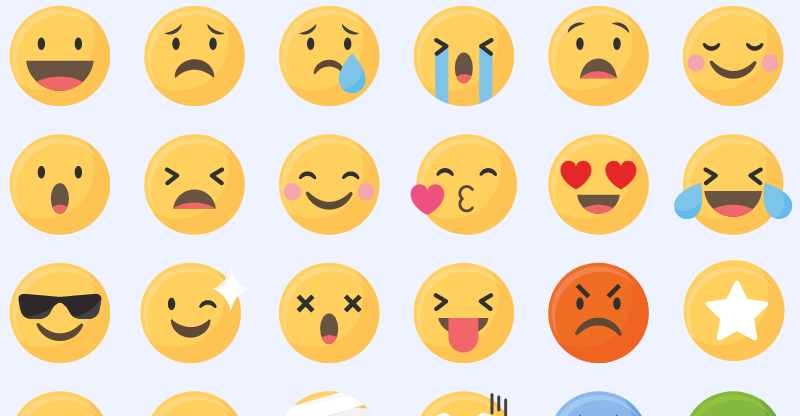
If you’re running Facebook ads, you probably asked yourself more than once: Should I use emojis in my Facebook ads?
Emojis have definitely come a long way from being just cute little yellow smiley faces, but should you take them into consideration while planning your advertising strategy on Facebook?
In this article, we will reveal facts you didn’t know about emojis in general and in Facebook ads in particular, share our insights concerning their effectiveness in Facebook ads, and give you some expert tips for using them in your campaigns.
So, let's find out if and how to use emojis on Facebook ads.
Do emojis affect your results? Which words drive conversions? How long should your ad copy be? Madgicx can answer all these questions in seconds, so you can quickly double down on what works and achieve optimal results fast.
What are emoji/s, and where do they come from?
Emojis, or emoji (both can be used as the plural form), are ideograms used in electronic messages and web pages and are very popular on social media. They include facial expressions, common objects, places, animals, and weather elements.
As you can probably guess, the word “emoji” comes from Japanese and is a combination of “e”, which means “picture”, and “moji”, which means “character”. It originally means “pictograph” and the resemblance to the words emotion and emoticon in English is purely coincidental.
Emojis were first used in Japanese phones in 1997 and gained popularity in the 2010s after being added to several mobile operating systems. For example, Apple added an official emoji keyboard to iOS in 2011. Afterward, Android did the same two years later. They became so popular and commonly used that in 2015, Oxford Dictionaries selected the face with tears of joy emoji as the word of the year.
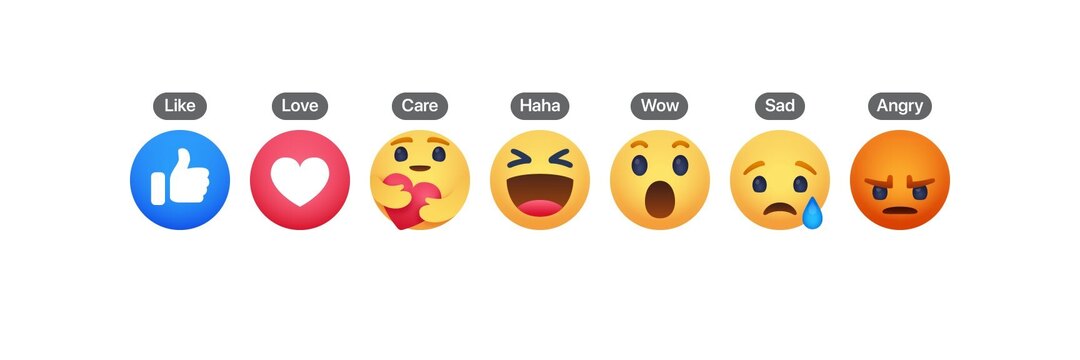
Nowadays, emojis, GIFs, and stickers are an integral part of Messenger conversations, Facebook posts, and Facebook ads. Furthermore, Facebook has added emoji-based reactions to allow users to better engage with posts and ads in other ways than the traditional Facebook Like emoji. During the COVID-19 outbreak, Facebook even added a new "care" reaction.
Note that Facebook emojis may be referred to as "Facebook emoticons" as well.
Do emojis in Facebook ads really work?
In many cases, adding emojis to ads led to much higher click-through rates and way more engagement when comparing the performance of the same ad with and without them. Furthermore, emojis can increase the number of reactions and comments on your ads. Especially as Facebook's algorithm prioritizes reactions other than likes, you want to create a deeper emotional reaction among your audience.
That’s why nowadays, many big companies that see their potential are using emojis in Facebook ads and on a regular basis. Facebook posts are no different, of course, and including emojis in them can also be very beneficial.
Using emojis has some clear advantages
- Draw attention: Facebook ads emojis serve as an “attention magnet” and can be used to highlight parts of your text. They are extremely engaging compared to normal words and add color to the otherwise monochromatic text. Emojis can humanize and liven up even dull financial services.
- A clear and simple message: Emojis offer the possibility of adding emotion to your message and thereby mitigate the risk that the reader will misinterpret your intention. In addition, they can save you space and effort since one emoji is worth a thousand words.
- Work around cultural barriers: Emojis are an international language since they convey feelings we all share as humans. Therefore, they improve the chances that your ad will be properly understood even by people who don’t fully control the written language you use.
- It’s part of our lives: Emojis have become an integral part of our contemporary culture and have already been accepted by most people in society long ago. If you need another indication of their significant impact, just think of The Emoji Movie.
- Indirect-response advertising: Using emojis in ads can help them appear as non-promoted content at first glance. People are more likely to engage with such friendly posts than with conventional ads. It’s like using a CTA (Call-to-Action) button that says “Learn More” instead of “Shop Now” or “Sign Up”. In addition, you can also use finger or arrow emojis to point at your CTA buttons.
But they are not always helpful
With all that being said, there were also cases in which emojis have actually decreased ad performance. They are not always helpful, and you need to make sure you use them wisely. Please take the following things into consideration:
- Not everyone should use emojis, of course. It depends on your brand and industry. For example, they can add a lot of value to an advertising agency but might send a funeral home to an early grave ⚰️
- Moreover, extensive use of emojis might make any company look less professional, so better to use them sparingly, especially at first. It might also make your ad annoying and unreadable.
Anonymous data from Madgicx accounts
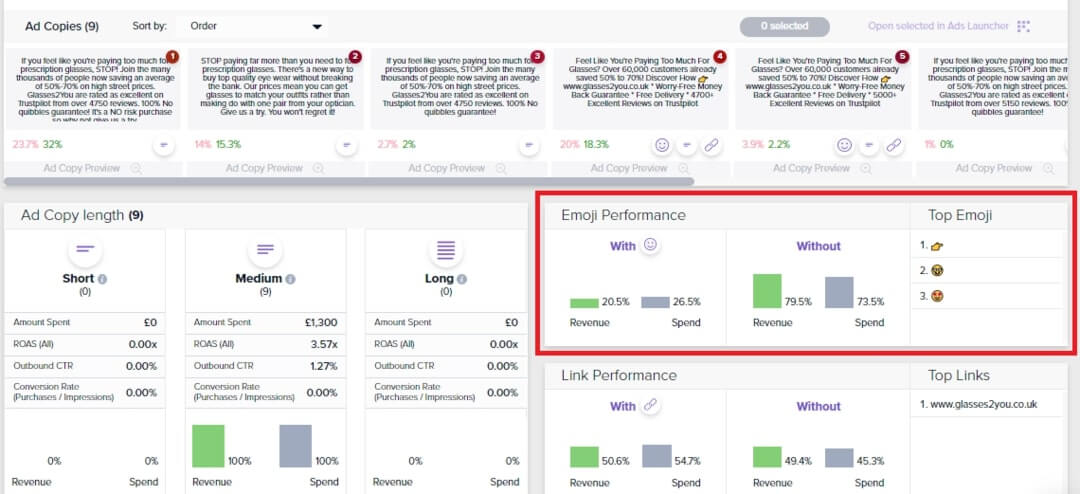
Sometimes using emojis in Facebook ads will provide you with higher revenue, but not always. You can always experiment with ads with and without emojis, and Madgicx’s Ad Copy Insights is a wonderful tool for analyzing your emojis’ performance.
This tool uses Meta Pixel data to analyze ad performance and evaluate your ad copy according to metrics such as return on ad spend, for example. It may show you that you should consider adding more emojis to your ads, as the ones in which you use emojis are more profitable:

Or the other way around:

How to use emojis on Facebook ads
Before you start using emojis in Facebook ads, you should plan your strategy. First, you need to ask yourself whether emojis even suit the industry you operate in. If you think they do, you want to decide how often and where you are going to use them.
The last step would be choosing the specific emojis you would like to use. Different emojis convey different messages and you should think about it before adding them to your ads.
Which emojis should you use?
Positive Facebook emojis like smiling faces are, of course, great for creating a happy and friendly brand voice. However, it doesn’t mean you have to limit yourself to them. Negative emojis can help you as well if they support your message. That being said, you should be aware of the fact that appealing directly to negative emotions might be risky, so use them wisely.
Where can you find emojis for Facebook ads?
Now that you’ve figured out your general strategy, you can start choosing your Facebook ads emojis. Emojipedia has all the emojis very well organized, so you can simply copy and paste them into your ads. Another website you can tap into to get an emoji for Facebook ads is Getemoji. Emojipedia also contains interesting facts about Facebook emojis meaning.
You can even gather all your favorite Facebook ad emojis in a document so you’ll have them available right away. It's best to save this document on your desktop or in your Google Drive.

Check how your emojis look on Facebook
⚠️ Beware! Not all that glitters is gold, and not every emoji that looks good on Microsoft Windows or Mac OS will look so on Facebook ⚠️Take this “face with monocle,” for example:

Looks friendly and happy, right? But if you plan on using this emoji for Facebook ads, know that it will get a worrying twist:

Or how about this cool Mac OS “money-mouth face”:

That turns into a creepy robot on Facebook:

The reason for the differences is that Facebook has its own set of Facebook emojis, which appear on Facebook’s website, the messenger, and the app.
Facebook Emoji Keyboard - find emojis for Facebook ads
Therefore, you should check how it looks before using an emoji for Facebook ads. The easiest way to do this would be with Madgicx's Facebook emoji keyboard.
%2520(1).jpeg)
This useful Facebook emoji keyboard immediately shows you how every emoji looks on Facebook. Moreover, it allows you to copy up to 10 emojis for Facebook at one time. You can use the free search box at the top of the page or search emojis by category.
How to open an emoji keyboard in any text box out there
Here's a pro tip for MAC OS X users: You can immediately access a special emoji panel using a keyboard shortcut that is really easy to remember: Command + Control + Spacebar. If you want to learn more about using this keyboard shortcut on MAC, you can read everything you need to know in this article.
If you're using Microsoft Windows, clicking the Windows logo key + period (.) will open an emoji panel when you're typing in a field that supports emojis (which is almost any field 😉).
Where in your Facebook ads can you use emojis?
Everywhere!
When you enter the Facebook Ads Manager to create a new ad or edit an old one, you'll notice that all the text boxes accept emojis. Facebook emojis are an integral part of your ad copy - whether it's in the headline, the description, or the primary text.
For example, we noticed that our ads perform better when we add emojis to the headline. Moreover, I'm sure that the emoji in this article's headline was part of the reason you clicked on it 😉
In addition, Facebook recently added an emoji keyboard inside the Ads Manager! So, now the whole process of adding emojis to your Facebook ads has become much simpler. Just go to the text box, click on the emoji symbol on the top-right corner, and add whatever emoji you like.

When writing your Facebook ad headline and text, take note of Facebook's headline and ad character limits. You can find all the necessary information in our article about Facebook ad sizes and specs. For your information, all emojis are equal in terms of character count and are counted as 2 characters.
Tips for effective use of emojis in Facebook ads
So, how to use emojis on Facebook ads in 2020 to maximize your ad performance?
- Hidden meaning: Although most emojis convey an unambiguous message, some might have a popular hidden meaning you might not be aware of. Hence, in order to avoid any slip-ups, you better check out the meaning of each emoji you use in Emojipedia. I would be careful with the eggplant emoji, for example.
- Storytelling: Emojis shouldn’t be just a decoration but help you deliver the message. You can even use a combination of emojis to deliver a complicated message, such as ®️😀👍/💩❓
- Beware of nonsense: That being said, emoji combinations that make no sense to 95% of the people are something you should avoid like the plague: 🦴🧆👁️🐕🦺🥍🚕
- Keep it clear: Don’t use emojis to replace important words, either. Convey your message clearly and use emojis to strengthen it where you need to add emotion or highlight.
- Draw attention: Arrows or pointing fingers can help to direct the viewer’s attention towards a headline or CTA button. Just make sure you’re pointing in the right direction so you won’t create any confusion 👈👉
- ⭐Star emojis in ads are a no-go: Facebook put the kibosh on star emojis in Facebook ads since people falsely used it to rate their products or services “5 stars”. Therefore, you shouldn’t use them if you don’t want your ad to be rejected for circumventing.
- Data-driven approach: As I already mentioned, a very helpful tool to analyze your emojis’ performance is Madgicx’s Ad Copy Insights. This tool provides you with a thorough and comprehensive analysis of the words you use in your ads. In addition, it includes a specific widget for emoji performance that compares your spend and revenue with and without emojis and also ranks your top emojis.
Conclusion
Can you use emojis in Facebook ads in 2020? Sure!
Should you be using them in your Facebook ads? As you probably already realized, the answer to the question in the headline isn’t a simple “yes” or “no”. It is an open-ended question, as my literature teacher would say.
You should test using emojis yourself and analyze your ads’ performance. Madgicx has a useful and simple tool that can do this analysis for you and help you make data-driven decisions concerning your use of emojis. It’s called “Ad Copy Insights,” and it’s included in the free 7-day trial offered by Madgicx.
So, just connect your ad account to Madgicx and see for yourself whether emojis work for you or not. 😎