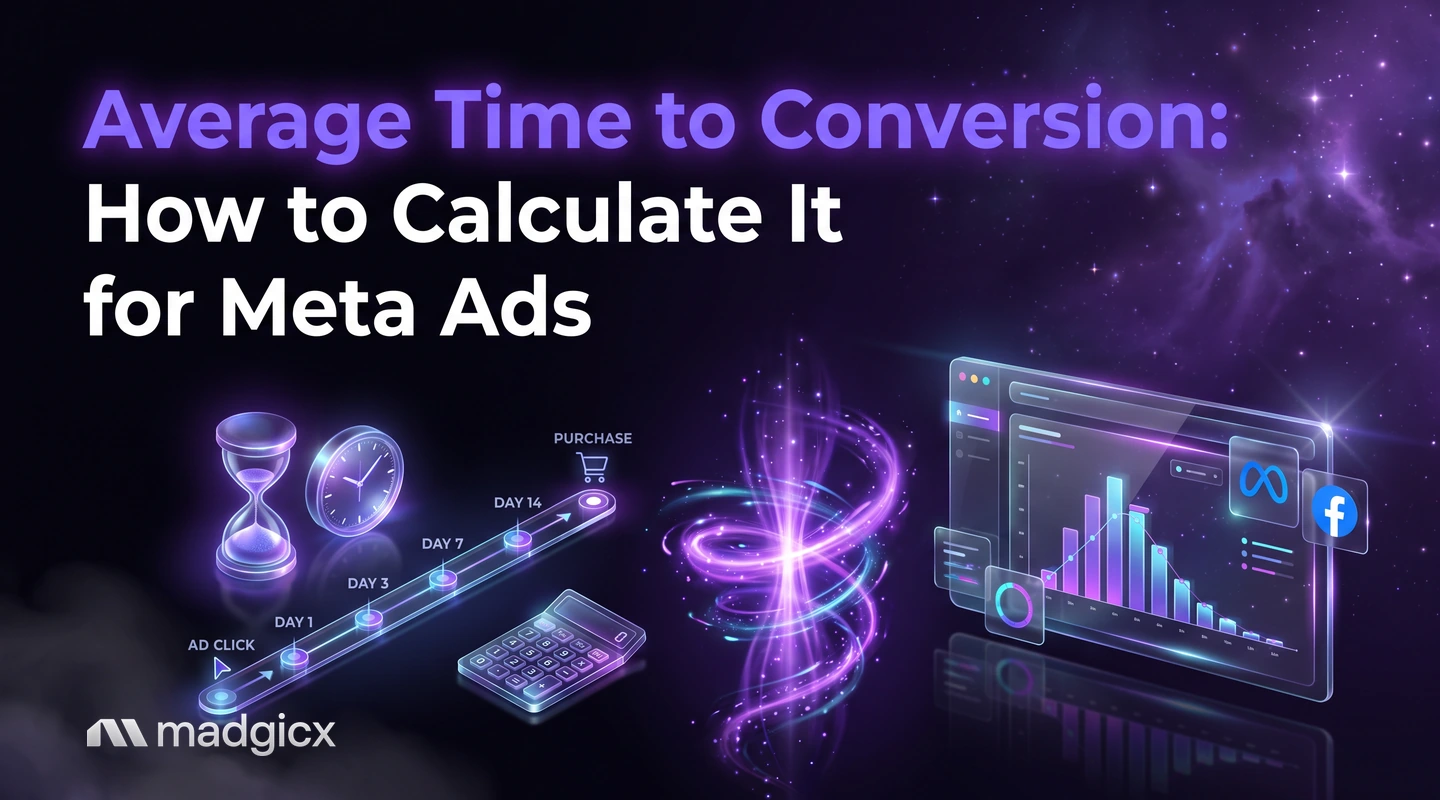
The formula for average time to conversion with a worked example, how Meta attribution windows distort it, and what to do with the number.
Average time to conversion is the average gap between a person's first ad interaction and the purchase or lead that follows. To calculate it, subtract the date of the first interaction from the date of the conversion for every customer, add up those gaps and divide by the number of customers.
For Meta ads, the number matters for a practical reason: Meta counts a conversion only inside the attribution window you set. If buyers take longer than the window, Ads Manager under-reports your results and you may cut ads that were working. This guide shows the formula, how to read your own lag, and what to change once you know it.
Ask about your own account data and get answers with charts.
The formula, with a worked example
The formula is:
Average time to conversion = total days from first interaction to conversion, across all customers, divided by the number of customers.
Here is an illustrative example with five buyers. The numbers are made up to show the arithmetic.
| Buyer | First ad interaction | Purchase | Days to convert |
|---|---|---|---|
| A | March 1 | March 1 | 0 |
| B | March 2 | March 3 | 1 |
| C | March 3 | March 9 | 6 |
| D | March 4 | March 18 | 14 |
| E | March 5 | March 10 | 5 |
The total is 0 + 1 + 6 + 14 + 5 = 26 days. Divided by 5 buyers, the average time to conversion is 5.2 days.
Notice what the average hides. Two buyers converted within a day and one took 14 days. When a few slow buyers pull the average up, also look at the median (the middle value, here 5 days) and at the share of buyers who convert inside each window. Those two views are what you set budgets and windows from.
Why Meta attribution windows change the number
You cannot read the lag straight from Ads Manager without knowing which window it uses. According to Meta's help page on attribution models and settings, standard attribution counts:
- Click-through: events within 1 day or 7 days after a link click on your ad.
- View-through: events within 1 day after an impression of your ad.
- Engage-through: events within 1 day after a non-link click action on your ad.
Anything that happens outside those windows is not credited to the ad. A buyer who clicked on day 10 does not appear in a 7-day click window, so the lag you see in Ads Manager is cut off at the window you chose. That is the main way the number gets distorted: a long-lag business looks short, because the long-lag buyers are missing.
Meta also notes that attribution settings are chosen at the ad set level, and that you cannot compare results in the campaign overview table across ad sets with different attribution models. If you read lag across ad sets, check they use the same setting first. Our glossary entry on the attribution window covers the basics.
How to find your conversion lag in Ads Manager
Ads Manager does not give you one "time to convert" column, but you can estimate the lag from the windows it already supports.
- Pick one campaign with enough purchases. A handful of orders gives a noisy answer. Use a campaign with a steady volume over several weeks.
- Compare the windows. Meta's Compare Attribution Settings feature is the way to compare accurately across settings. Look at purchases credited under a 1-day click window and under a 7-day click window for the same campaign.
- Read the difference. Purchases that appear in the 7-day click view but not the 1-day view are buyers who came back between two and seven days after clicking.
- Add your own data. Your store or CRM records the order date, and your analytics tool records the first visit. Together they give you the real gap for each customer, which is the formula from earlier.
If most of your purchases already show up in the 1-day window, your lag is short. If the 7-day view adds a large share, your buyers think it over. And if purchases keep trickling in at the very edge of the 7-day window, assume some are falling outside it.
You can also ask for this in plain language. Copilot in Madgicx answers questions about your own account data with charts, so you can ask how results change by attribution window instead of exporting each view by hand.
What a short or long lag means for budget and retargeting
| If your lag is | What it usually means | What to do |
|---|---|---|
| Under 1 day | Impulse or low-risk purchases | Judge new ads after a couple of days and cut weak ones quickly |
| 1 to 7 days | Buyers compare and return | Wait a full week before judging, and keep retargeting running for the same period |
| Over 7 days | Considered or high-price purchases | Read results over a longer span and track assisted conversions in your analytics tool |
The reason to wait is simple. If your lag is five days, an ad that looks weak after two days has not had time to show its sales. Cutting it early is a measurement mistake, not a performance decision.
Setting your attribution window and review cadence from the lag
Once you know the lag, write down three rules and apply them to every campaign:
- Window: choose the shortest attribution window that still captures most of your buyers. If most convert within 1 day, 1-day click is enough. If many return later, use 7-day click.
- Review day: review results no sooner than the lag. For a 5-day lag, a Monday launch is read on the following Monday.
- Retargeting window: set the audience window to cover the period when most buyers are still deciding, then stop. Retargeting past the lag mostly reaches people who have already decided.
Keep the setting the same across ad sets you want to compare, and note the date of any change. Otherwise a drop or a jump may be the new window and not the ads. For reading the sales side of this, our guide to calculating ROAS shows how to turn credited revenue into a return figure, and our overview of average conversion rates for Facebook ads helps you judge the result once the window is right.
Common mistakes when reading the number
- Averaging across different products. Report the lag per product group or per offer.
- Ignoring the median. One slow buyer can drag the average a long way.
- Reading it from a window that is too short. The lag looks shorter than it is.
- Mixing attribution settings. A column that blends different settings is not one metric.
- Judging ads before the lag has passed. You cut ads that had not finished converting.
- Counting only what the browser reports. Missed events shrink the picture, which is why a clean conversion tracking setup comes first.
Get a fuller lag picture with Madgicx
A lag figure is only as good as the conversions behind it. Madgicx Cloud Tracking sends conversions to Meta from the server, so fewer purchases go missing from the picture. Then ask Copilot about your own account data, with charts, to see how results change across windows.
FAQ
What is average time to conversion?
It is the average number of days between a person's first interaction with your ad and the conversion that follows, such as a purchase or a lead.
How do you calculate average time to conversion?
Subtract the first interaction date from the conversion date for each customer, add the results and divide by the number of customers. Check the median as well, since a few slow buyers can pull the average up.
What attribution window should I use for Meta ads?
Meta's standard attribution counts clicks within 1 day or 7 days and views within 1 day. Pick the shortest window that still captures most of your buyers, and keep it the same across ad sets you compare.
Why do my Meta results rise after a few days?
Buyers often convert after the first visit. Sales credited later fill in the earlier days, so recent days look weaker than they will once the window has passed.
How long should I wait before judging a new ad?
At least as long as your typical conversion lag. If most buyers convert within 5 days, read the results after 5 days or more.