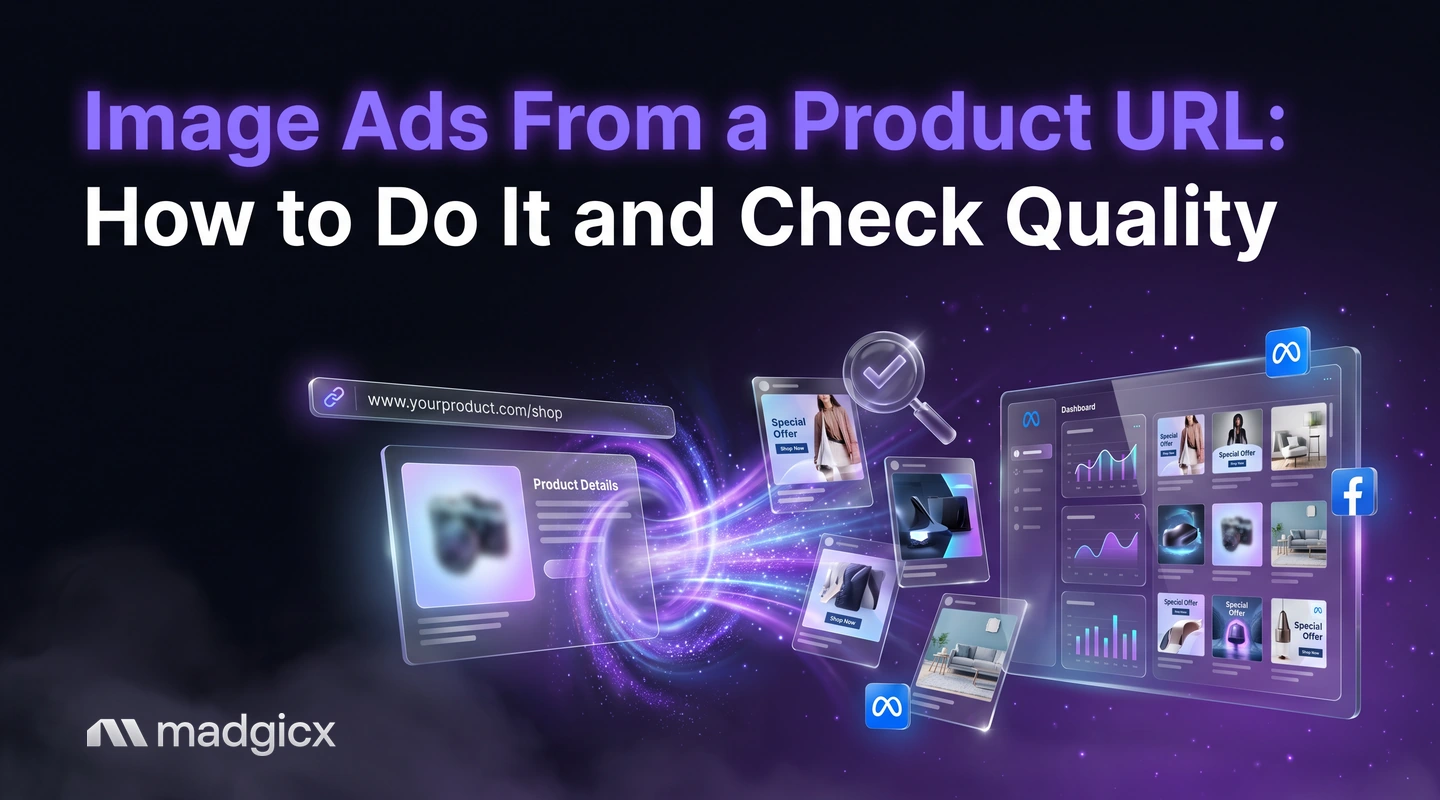
From product page to tested image ads: prepare the page, generate options, run a quality checklist, launch in bulk and learn from results.
To make image ads from a product URL, you take the images, title, price and benefits from your product page, give them to an AI ad tool as the starting point, generate several options, check each one against your real product and then test the best ones on Meta. The product page is a good source because it already holds your approved photos, wording and offer.
One thing to know up front: tools differ in what they accept. Some read a link directly. Madgicx's AI Ad Generator starts from a prompt, an image or any ad in the Meta Ad Library, so with Madgicx you bring the product image and details from your page rather than pasting the link. This guide covers the whole workflow for image ads, plus a checklist for what AI tends to get wrong.
Generate image ads, then launch and learn in Madgicx.
Why a product URL is a good start
Your product page is the most checked piece of content you own. It has your best photos, your price, your main benefits and the words customers already respond to. Starting from it has three advantages:
- Accuracy: the product, price and claims come from the page, not from a guess.
- Speed: you skip writing a brief from scratch.
- Consistency: the ad matches the page people land on, which keeps the promise from changing between the click and the checkout.
The limit is that a product page is built to sell once someone is there, not to stop a scroll. An ad needs a sharper hook and a simpler image than the page, so treat the page as raw material, not as the finished ad.
Prepare your product page
Before you generate anything, spend ten minutes on the page itself:
- Pick the right product. Start with a best seller or a product with good reviews, so the ad has something real to say.
- Collect clean images. Gather the product on a plain background and in use. Use the largest files you have, not thumbnails.
- Pull out the facts. Write down the title, the price, the top three benefits and one line of proof, such as a review.
- Note what must not change. Logo, colors, product shape, packaging text and any claims you are not allowed to alter.
- Check the page works. The link should load fast on a phone and show the same offer the ad will promise.
Our guide to the best ad images shows what strong product visuals look like, and the guide to product advertising covers how to frame what you sell.
Generate options
Madgicx's AI Ad Generator creates new image ads from a prompt, an image or any ad in the Meta Ad Library, ready to edit and use. Here is how to use each input with a product page:
| Input | What to bring from your page | Good for |
|---|---|---|
| A prompt | Product name, top benefit, audience and tone | Fresh concepts and scene ideas |
| An image | Your best product photo | Keeping the real product in the ad |
| A reference ad | An ad from the Meta Ad Library with a layout you like | Borrowing a proven structure for your product |
If you start from your product image, you keep the real product in the frame, which helps with accuracy. If you start from a reference ad, you borrow a layout that already works for someone, and change the product and words to your own. Generate more options than you need, since you will cut most of them in the next step.
This guide covers image ads only. Mixing images and video in one workflow makes it hard to tell what you are testing, so keep them separate.
Review checklist: what AI gets wrong
Go through every option with this checklist. Anything that fails is deleted or fixed.
- Product shape and color. Does it look like the real product from your page, with the right proportions and color?
- Logo and label text. Is every letter correct? AI often garbles small text on packaging.
- Price and offer. If a price or deal appears, does it match the page today?
- Spelling and grammar. Read every word in the image out loud.
- Hands, faces and extra objects. Look for odd fingers, warped faces or items that do not belong.
- Claims. Does the image suggest a result your product does not deliver?
- Brand fit. Would a customer recognize it as your brand?
- Phone view. Is the main message clear on a small screen?
- Text amount. Keep words on the image short and put the longer message in the ad's text fields.
Treat this as the step where you are the approver. The AI proposes, and you decide what represents your brand.
Edit and refine
You rarely need to throw out a near miss. Madgicx includes AI image editing and templates, so you can change the background, adjust the layout or fix the text on an option that is almost right instead of generating again. Fix the small errors from your checklist, then make two or three variants that change one thing each: the background, the angle or the opening line.
Write the ad's text yourself or edit what you draft. Use the product page's own words for benefits, since customers already respond to them.
Launch in bulk
When you have a set of finished ads, you need to get them into Meta. Madgicx's Ad Launcher launches ads in bulk, so a batch of variants goes live in one flow instead of one ad at a time.
A bulk launcher in beta builds many ads from a sheet or CSV, with edits staged and reviewed before they reach Meta. It's in beta; contact our support team to get beta access.
Meta organizes ads in three levels, as its guide to guide to the three ad levels explains: a campaign holds the objective, an ad set defines the audience, placements, budget and schedule, and the ad holds the format and creative. All ads in the same ad set share the same audience, placement, budget and schedule, so put the variants you are testing in one ad set to give them equal conditions.
Learn from results
Judge each ad by cost per result, such as cost per purchase, and not by clicks alone. When a variant wins, look for the reason: the angle, the image style or the opening line. Then use the winner as the reference for the next batch and change one element.
Madgicx's Creative Insights breaks down every creative to show what makes winning ads win, and flags creative fatigue so you know when to refresh. If an ad underperforms, see how to check all three Facebook ad quality rankings with AI if an ad underperforms.
To go from product images to tested ads in one place, try Madgicx free for 7 days
FAQ
Can I create image ads from a product URL?
Some tools read a product link directly. With Madgicx's AI Ad Generator, you start from a prompt, an image or an ad in the Meta Ad Library, so you bring the product image and details from your page.
What do I need from my product page to make an ad?
Clean product images, the title and price, the top three benefits and one line of proof. Note the logo, colors and claims that must not change.
What does AI usually get wrong in product ads?
Product shape and color, small text on labels, prices, spelling and details such as hands or faces. Check each against your real product before you keep an ad.
Can AI make image ads for Facebook and Instagram?
Yes. Madgicx's AI Ad Generator creates image ads you can edit and use on Meta. It makes images only, not video.
How do I launch many ads at once?
Madgicx's Ad Launcher launches ads in bulk. A bulk launcher in beta builds many ads from a sheet or CSV; contact our support team to get beta access.
How do I know which generated ad is best?
Test them with equal budgets and the same audience, and compare cost per result. Then use what the winners share to guide the next batch.