Want more polished Instagram content? Find the latest Instagram post sizes and ad sizes inside to keep things sharp, effective, and perfectly optimized.
When your image and video sizes are spot-on, everything fits like a glove and looks sharp. Luckily, we've done all the measuring, so you don't have to lift a finger. In this guide, you'll find the essential Instagram post sizes for 2026, so your organic content and your ads look their best. And once you've nailed your sizing, timing matters too. Check out our guide on the best time to post on Instagram to maximize your reach.
The short answer: for most Instagram feed posts, use 1080 x 1350 pixels (4:5). Instagram also accepts taller 1080 x 1440 pixel photos (3:4), which match the profile grid. Square posts are 1080 x 1080 (1:1), landscape posts are 1080 x 566 (1.91:1), and Stories and Reels are 1080 x 1920 (9:16).
| Format | Size (pixels) | Ratio | Best for |
|---|---|---|---|
| Feed post, portrait | 1080 x 1350 | 4:5 | Most feed posts, and ads |
| Feed post, tall portrait | 1080 x 1440 | 3:4 | Posts that show uncropped in your profile grid |
| Feed post, square | 1080 x 1080 | 1:1 | Product shots, quotes and graphics |
| Feed post, landscape | 1080 x 566 | 1.91:1 | Wide photos and group shots |
| Carousel | Any feed size above | Same on every slide | Up to 20 photos or videos in one post |
| Story | 1080 x 1920 | 9:16 | Full-screen photos and videos |
| Reel | 1080 x 1920 | 9:16 | Short vertical videos |
| Profile picture | 320 x 320 | 1:1 | Your account photo, shown as a circle |
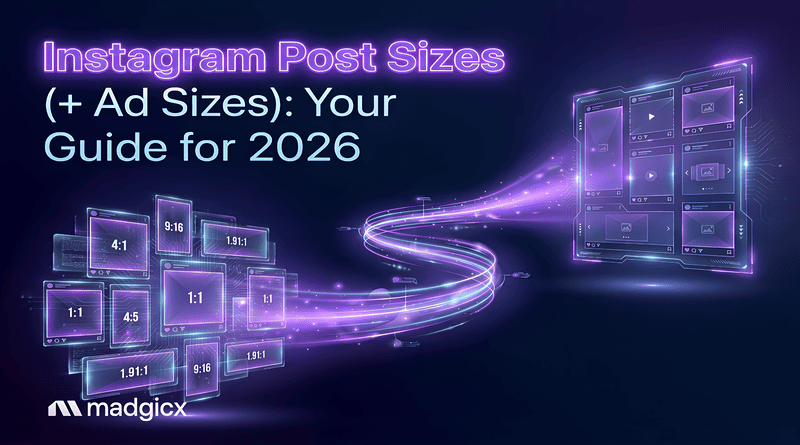
Prefer a picture? Here's every size drawn to scale. Save it for later 😉
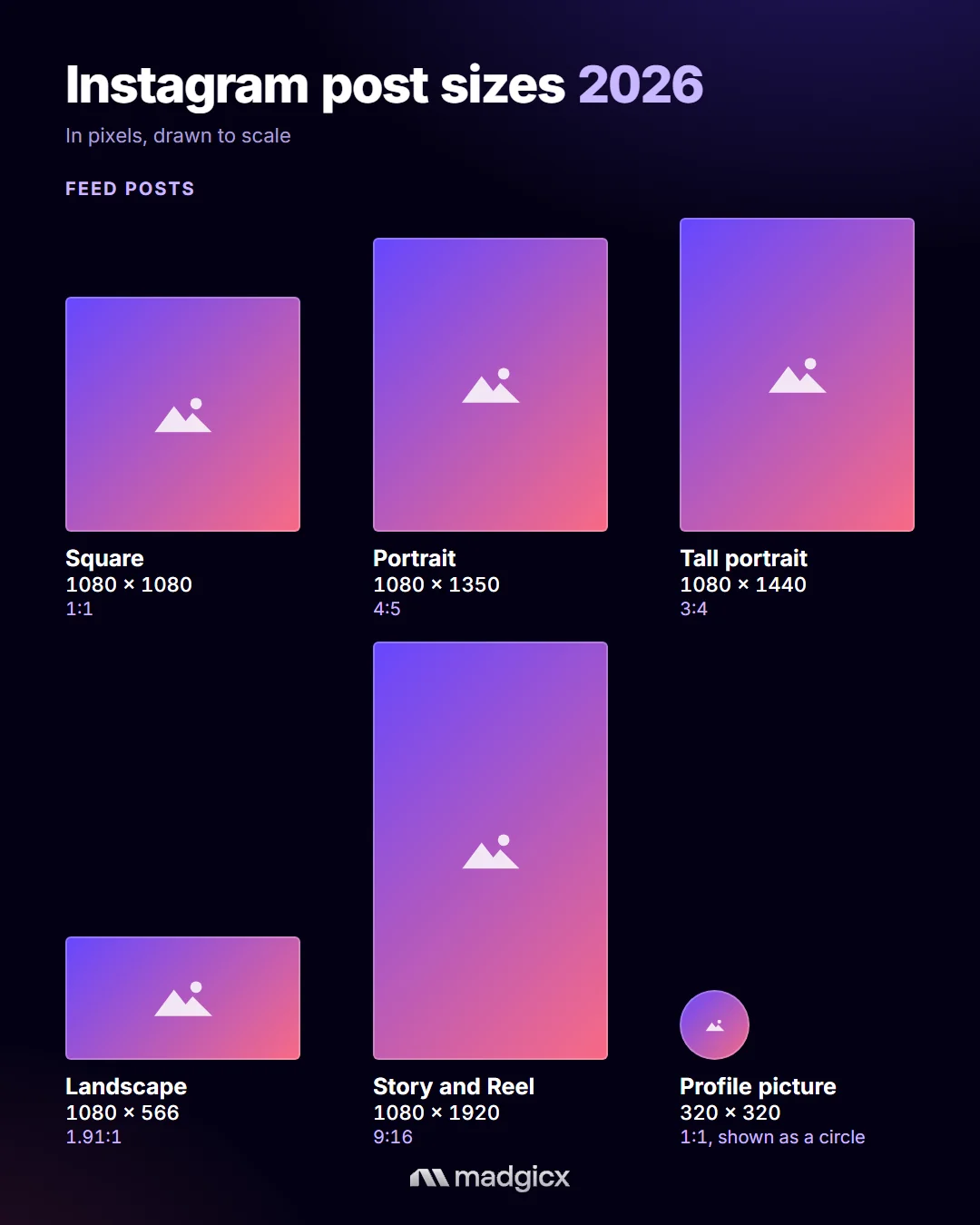
Madgicx’s AI Ad Generator makes ad creation effortless, using AI to generate high-quality ads in seconds. You can recreate top-performing ads with fresh variations, upload a product image to get tailored ad options, or explore ideas from Madgicx’s Ad Library and let AI craft similar ads for you.
Instagram feed post size
Feed posts can be portrait, square or landscape. Instagram keeps your photo at full quality when it's 1080 pixels wide and its shape is between 1.91:1 (landscape) and 3:4 (tall portrait). Anything wider or taller gets cropped to fit.
Portrait: 1080 x 1350 pixels (4:5 aspect ratio)
Tall portrait: 1080 x 1440 pixels (3:4 aspect ratio)
Square: 1080 x 1080 pixels (1:1 aspect ratio)
Landscape: 1080 x 566 pixels (1.91:1 aspect ratio)
Quick format note: Instagram accepts JPG or PNG for photos, and MP4 or MOV for video content.
Images are the heart of Instagram, making it the perfect platform to leverage images for maximum impact in your social media advertising strategy. Want to turn these perfectly sized posts into high-performing ads? Learn everything about Instagram ads to get started.
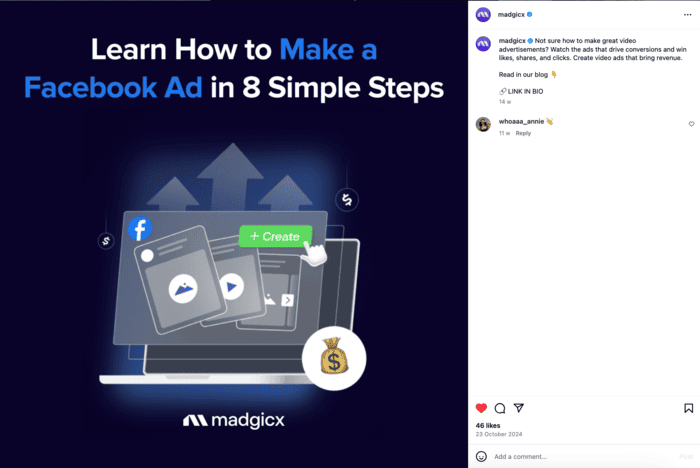
Instagram 3:4 post size
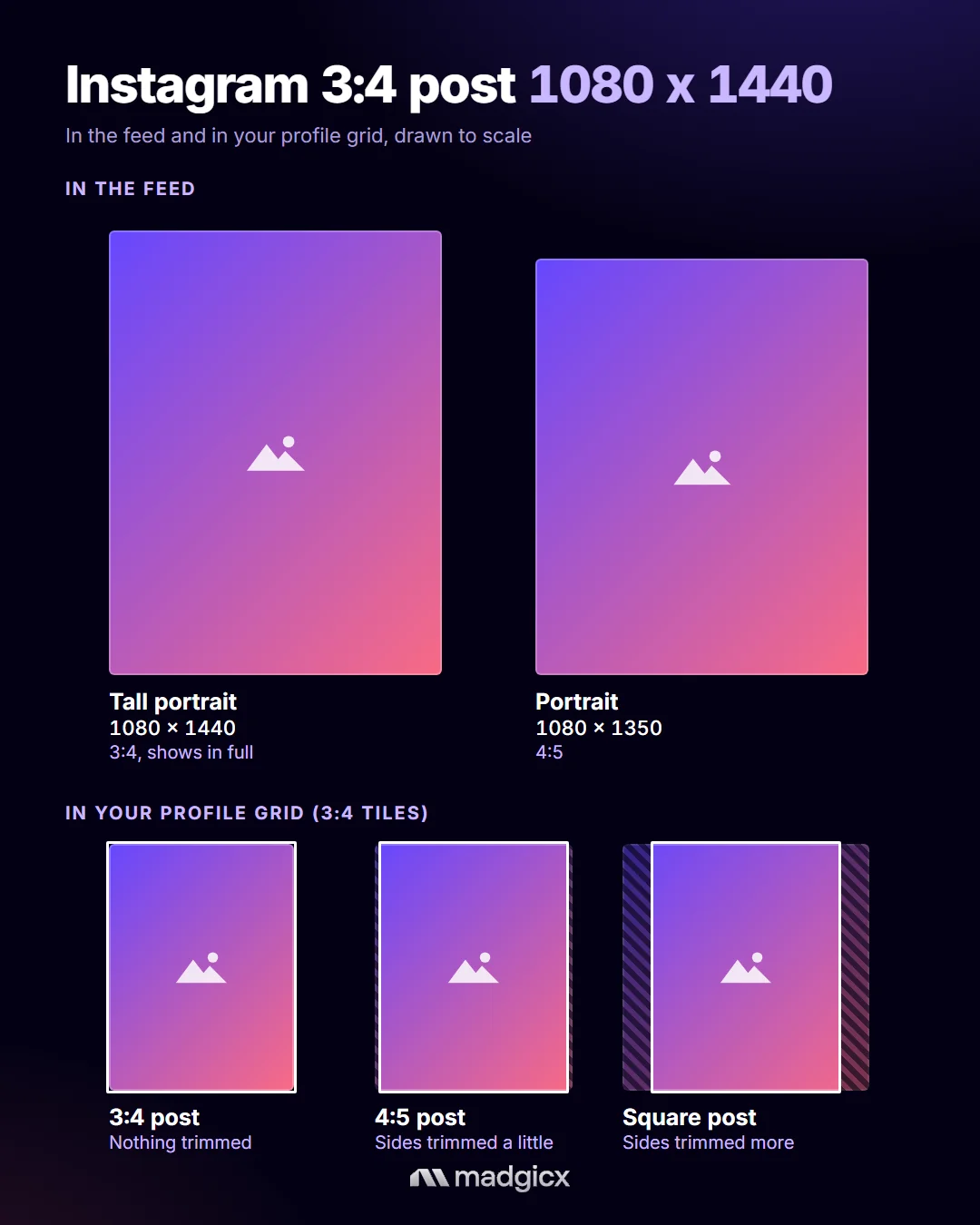
Instagram accepts 3:4 photos at 1080 x 1440 pixels, the tallest shape it allows for a feed post. Your profile grid also shows posts as tall 3:4 rectangles, so a 3:4 photo appears in full both in the feed and on your profile. A 4:5 or square photo still works, but the grid trims a little from its sides.
Two things to keep in mind:
- 3:4 is for organic posts. Instagram feed ads accept shapes from 1.91:1 to 4:5, so crop ad images to 4:5.
- In a carousel, every slide uses the same shape, so use 3:4 for all of the slides or none of them.
Instagram feed video size
A single video you share to your feed is posted as a Reel, so the Reels size (1080 x 1920, 9:16) gives you the most room. If you want a video that matches your feed photos, use one of these:
Portrait: 1080 x 1350 pixels (4:5 aspect ratio)
Square: 1080 x 1080 pixels (1:1 aspect ratio)
Landscape: 1080 x 608 pixels (16:9 aspect ratio)
Videos are a powerful way to engage your audience on Instagram, offering a dynamic alternative to static images. However, they often demand a bigger creative production budget than static images.
Instagram feed videos are a fantastic way to capture attention with motion and sound, making your content more engaging and memorable. Whether showcasing a product, telling a story, or sharing behind-the-scenes moments, feed videos can significantly boost your reach and engagement.
This creative format lets you connect with your audience more personally and vibrantly, making your posts stand out in their feed.
Instagram carousel size
Portrait: 1080 x 1350 pixels (4:5 aspect ratio)
Tall portrait: 1080 x 1440 pixels (3:4 aspect ratio)
Square: 1080 x 1080 pixels (1:1 aspect ratio)
Landscape: 1080 x 566 pixels (1.91:1 aspect ratio)
Instagram applies one shape to every slide in a carousel. You can't pick a different shape for each photo or video, so prepare every slide at the same size.
Instagram carousel images allow you to share multiple photos within a single post, providing a dynamic and engaging way to tell a story or highlight different aspects of your content. This format is perfect for showcasing product collections, step-by-step guides, or event highlights. For e-commerce brands, carousels work brilliantly with your Instagram Shop to display multiple product angles or features.
Adding up to 20 photos and videos per carousel can create a richer, more detailed experience for your audience, encouraging them to swipe through and interact with your post.
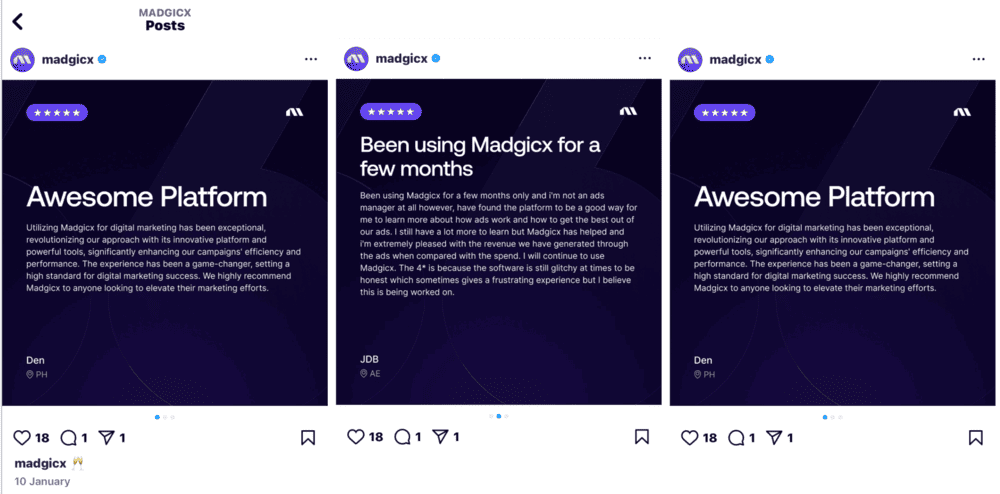
Instagram carousel video posts are an excellent way to showcase multiple products or features within a single post. You can create a dynamic, swipeable experience that captures your audience's attention and keeps them engaged.
Each carousel can include a minimum of 2 cards and a maximum of 20 cards, allowing you to mix videos with images to tell a story or display a variety of content in one post. This format is ideal for highlighting different aspects of your product and encouraging interaction from your followers. Ensuring that the designs for the cards are cohesive and flow well together will keep your audience hooked.
Videos in a carousel aren't treated as Reels, so they won't show up in your Reels tab.
Instagram Story size
Vertical: 1080 x 1920 pixels (9:16 aspect ratio), for photos and videos
Instagram Stories images offer a unique and engaging way to connect with your audience through ephemeral content. These vertical images disappear after 24 hours, creating a sense of urgency and exclusivity. They're perfect for sharing behind-the-scenes glimpses, limited-time offers, or quick updates.
With interactive features like polls, questions and link stickers, Stories capture attention and encourage direct interaction and engagement from your followers. Use this format to create a sense of immediacy and foster a more personal connection with your audience. If you post for a brand, an Instagram business account adds Story insights, so you can see what works.
Story videos fill the entire screen, creating an immersive and engaging experience for viewers. This format is perfect for capturing attention with vertical videos that fit seamlessly into the natural way people hold their phones.
Whether you're sharing behind-the-scenes content, product showcases, or special announcements, ensure that your videos meet these specifications to look crisp and professional.
Instagram Reels size
Vertical: 1080 x 1920 pixels (9:16 aspect ratio)
Instagram Reels video captivates your audience with short, engaging clips. Reels can run up to 20 minutes, but Instagram only recommends Reels of 3 minutes or less to people who don't follow you yet. Short and vertical still works best. This format lets you showcase your creativity through entertaining snippets, educational content, or viral trends.
Reels also offer potent tools like music, AR effects, and text overlays, helping you craft visually appealing and interactive videos. Leveraging Reels can significantly boost your reach and engagement, making your content discoverable to a broader audience through the Explore page. However, it's essential to do creative testing to see which resonates best with your audience to maximize your Reels' impact.
While Reels demand more creative effort than static posts, their ability to spread rapidly and significantly expand your content reach makes them a crucial element of your creative strategy.
Interesting read: How to pause Instagram Reels
Instagram Reels cover size
Your Reel's cover is the thumbnail people see in your profile grid and Reels tab. Make it 1080 x 1920 pixels (9:16), the same as your video. The grid shows covers cropped to 3:4, so keep faces and text inside the middle 1080 x 1440 area.
Instagram grid and thumbnail size
Your profile grid shows every post as a tall 3:4 rectangle. Instagram makes these thumbnails for you, so there's nothing extra to upload, but it helps to know how each kind of post is cropped:
- Photos and videos: 3:4 posts show in full. 4:5 and square posts are trimmed at the sides, and landscape posts are trimmed the most.
- Carousels: the first photo or video is the thumbnail for the whole carousel.
- Reels: the cover image is the thumbnail, cropped from 9:16 to 3:4.
Thumbnails are super important on Instagram because they're the first thing people see when scrolling through their feed or checking out your profile. A great thumbnail can grab attention and make your content stand out, whether an image, video, or carousel. Think of it as your content's "front cover". It needs to be eye-catching and preview what's inside.
A solid thumbnail draws people in and keeps your brand looking sharp and consistent. It's all about making a great first impression and getting more eyes on your posts. Consistently compelling thumbnails also play a crucial role in growing your Instagram followers by making your profile grid visually appealing.
Instagram profile picture size
Upload your Instagram profile picture at 320 x 320 pixels (1:1). Instagram shows it as a small circle, about 110 x 110 pixels on phones, so keep your logo or face centered with a little space around the edges.
Instagram ad sizes
Good news: if you've already sized your organic content using the specs above, you're most of the way there. Ads use the same shapes, with two differences. Meta recommends larger files for ads, and feed ads don't accept the 3:4 shape.
Instagram feed ad size
Portrait: 1440 x 1800 pixels (4:5 aspect ratio), Meta's recommended size
Square: 1080 x 1080 pixels (1:1 aspect ratio)
Landscape: 1080 x 566 pixels (1.91:1 aspect ratio)
Feed ads accept shapes from 1.91:1 to 4:5, so crop a 3:4 image to 4:5 before you use it in an ad. A 1080 x 1350 portrait still meets Meta's minimum.
Feed ads run right alongside organic posts in people's feeds, so matching these dimensions exactly keeps your creative sharp and prevents Meta from cropping anything awkwardly.
Instagram carousel ad size
Use 1080 x 1350 pixels (4:5) when every card is an image, or 1080 x 1080 pixels (1:1) if any card is a video. A carousel ad has 2 to 10 cards.
Instagram Story ad size
Vertical: 1440 x 2560 pixels (9:16 aspect ratio), Meta's recommended size. 1080 x 1920 also works.
Story ads take over the full screen between people's Stories, so vertical, full-bleed creative works best here. Meta suggests keeping the top 14%, the bottom 35% and 6% on each side free of text and logos, because your profile icon and the call-to-action button sit there.
Instagram Reels ad size
Vertical: 1440 x 2560 pixels (9:16 aspect ratio), Meta's recommended size. 1080 x 1920 also works.
Reels ads slot in between organic Reels content, so they perform best when they feel native, fast-paced, sound-on, and vertical, rather than looking like a repurposed feed video.
Use the same safe zone as Story ads. Reels ads can run up to 15 minutes.
🛎️ BONUS: If you're advertising across all Meta platforms, check out the full rundown of Facebook ad sizes and specs. For organic Facebook post sizes, read our guide.
Nail Your Instagram Ads With Madgicx's AI 🎯
Feeling overwhelmed about getting your Instagram ads just right? Whether you're creating Instagram sponsored posts or other ad formats, don't sweat it. With Madgicx's AI ads, you can use artificial intelligence to simplify your entire creative production process.
Madgicx's AI Ad Generator eliminates the hassle of bulk ad creation, leveraging AI to produce high-quality options in seconds. You can generate ads based on a top-performing creative, upload a product image for tailored ad options, or draw inspiration from Madgicx's Ad Library—letting the AI craft scroll-stopping ads perfectly suited to your brand.
Need to tweak the AI-generated ads? No problem. With The AI Editor, you can move elements, add text, or delete what doesn't work—keeping things super customizable. From there, you can launch your ads straight from the platform in just a few clicks.
Ready to perfect your Instagram posts? Try the AI Ad Generator free for 7 days—no strings.
Instagram post size FAQ
What is the best Instagram post size in 2026?
1080 x 1350 pixels (4:5) works for most feed posts and for ads. If you want a post to show uncropped in your profile grid, use 1080 x 1440 pixels (3:4).
What is the new Instagram post size?
The newest size is 3:4, or 1080 x 1440 pixels. Instagram added support for 3:4 photos in 2025, and the profile grid now shows posts as tall 3:4 rectangles.
Is the Instagram grid 4:5 or 3:4?
3:4. A 4:5 or square photo loses a little from its sides in the grid preview. The full photo still shows in the feed and when someone opens the post.
What size should Instagram Stories and Reels be?
1080 x 1920 pixels (9:16). Keep text and logos away from the top and bottom edges, where Instagram shows your name, caption and buttons.
How do I post on Instagram without cropping?
Use a photo that's 1080 pixels wide, with a shape between 1.91:1 and 3:4 (a height between 566 and 1440 pixels). Instagram crops anything wider or taller to fit.